Best Online Image Compressor for Web Optimization in 2026
≡Table of Contents
Why Image Compression is Essential for Web Optimization
Images often account for the majority of a webpage's size. Optimizing your images can significantly improve your website's loading speed, user experience, and even SEO rankings. In this comprehensive guide for 2026, we'll explore the best online image compressors that help you reduce file sizes without compromising quality.
Quick Tip: Compressing your images before uploading them to your website can reduce page load times by up to 70%, significantly improving user experience and SEO rankings.
Benefits of Image Compression
- Faster Page Load Times: Compressed images load quicker, reducing bounce rates and improving user experience.
- Improved SEO Rankings: Google considers page speed as a ranking factor, making image optimization crucial for SEO.
- Reduced Bandwidth Usage: Smaller image files consume less bandwidth, benefiting both you and your visitors.
- Better Mobile Experience: Optimized images are particularly important for mobile users who may have limited data plans.
- Lower Storage Requirements: Compressed images take up less server space, potentially reducing hosting costs.
- Improved Core Web Vitals: In 2026, Google's Core Web Vitals metrics heavily influence rankings, and image optimization directly impacts LCP (Largest Contentful Paint).
Top Online Image Compressors for 2026
1. DrillSEO Image Compressor
Best for: All-in-one image optimization with advanced AI compression
Our own DrillSEO Image Compressor tool offers state-of-the-art compression technology that intelligently analyzes and optimizes images for the web. It supports all major formats including JPEG, PNG, WebP, and AVIF, with specialized algorithms for each format.
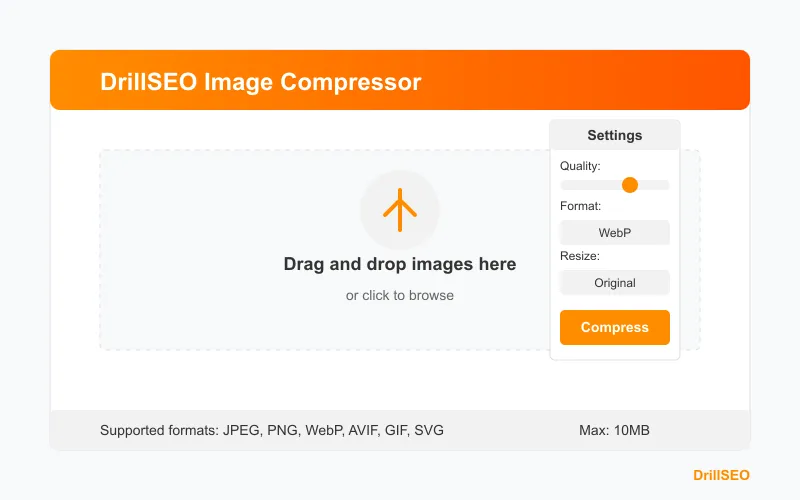
// DrillSEO Image Compressor Features
- Supports all major formats: JPEG, PNG, WebP, AVIF, GIF, SVG
- Smart compression with AI-powered quality retention
- Batch processing up to 100 images at once
- Automatic format conversion to optimal format
- Resize options with aspect ratio preservation
- Metadata preservation options
- No account required- Pros: Advanced AI compression, batch processing, supports all formats, automatic format conversion, completely free
- Cons: Maximum file size of 10MB per image
- Compression Rate: 60-90% reduction with minimal quality loss
- Free Tier: Unlimited compressions with no registration required
2. TinyPNG
Best for: PNG and JPEG compression with excellent quality retention
TinyPNG uses smart lossy compression techniques to reduce the file size of your PNG and JPEG files. The quality loss is nearly imperceptible but the file size reduction is significant.
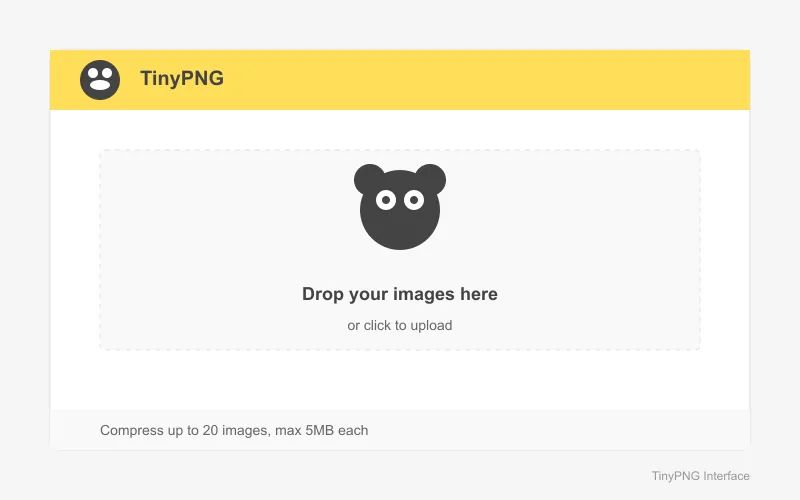
- Pros: Simple interface, batch processing (up to 20 images), free API available
- Cons: Limited to PNG and JPEG formats
- Compression Rate: 50-80% reduction
- Free Tier: Up to 20 images per month (max 5MB each)
3. Squoosh
Best for: Fine-tuning compression settings with real-time preview
Developed by Google, Squoosh offers advanced compression options with a side-by-side comparison view to help you find the perfect balance between quality and file size.
- Pros: Works offline, supports multiple formats (WebP, AVIF, JPEG, PNG), detailed control over compression settings
- Cons: Processes one image at a time, no batch processing
- Compression Rate: 40-90% reduction depending on settings
- Free Tier: Completely free
4. ShortPixel
Best for: WordPress websites and bulk optimization
ShortPixel offers both a web interface and a WordPress plugin for optimizing images. It supports multiple file types and provides three levels of compression.
WordPress Integration
If you're using WordPress, consider a dedicated image optimization plugin like ShortPixel that can automatically compress images as you upload them to your media library.
- Pros: Batch processing, WordPress integration, preserves EXIF data if needed, three compression levels
- Cons: Limited free tier, premium plans required for high-volume sites
- Compression Rate: 40-60% reduction
- Free Tier: 100 images per month
5. Compressor.io
Best for: Simple one-off image compression
Compressor.io offers both lossy and lossless compression for JPEG, PNG, GIF, and SVG files with a straightforward interface.
- Pros: Simple interface, supports multiple formats, offers lossless compression
- Cons: No batch processing in free version, limited to 10MB file size
- Compression Rate: 30-70% reduction
- Free Tier: Unlimited compressions (one at a time)
6. ImageOptim (Desktop App)
Best for: Bulk optimization on your local machine
While not an online tool, ImageOptim deserves mention as an excellent desktop application for Mac users (Windows alternatives include FileOptimizer and Caesium).
- Pros: Batch processing, preserves metadata options, integrates with macOS
- Cons: Not web-based, Mac only (main version)
- Compression Rate: 20-60% reduction
- Free Tier: Completely free
Best Practices for Image Optimization
Choose the Right Format
- JPEG: Best for photographs and images with many colors
- PNG: Best for images with transparency or text
- WebP: Modern format with better compression than JPEG and PNG (check browser compatibility)
- SVG: Ideal for logos, icons, and simple illustrations
- AVIF: Newest format with excellent compression (limited browser support)
Resize Before Uploading
Always resize your images to the maximum dimensions needed before uploading them to your website. There's no need to upload a 4000px wide image if it will only be displayed at 800px width.
Use Responsive Images
Implement responsive images using HTML's srcset attribute to serve different image sizes based on the user's device.
Lazy Loading
Implement lazy loading to only load images when they're about to enter the viewport, improving initial page load times.
Conclusion
Image compression is a crucial aspect of web optimization that can significantly improve your website's performance. By using the tools mentioned above and following best practices, you can ensure your website loads quickly while still displaying high-quality images.
Remember that the best image compression strategy often involves a combination of proper formatting, resizing, and compression. Test different tools to find the one that works best for your specific needs and image types.
Final Tip: For the best results, make image optimization an integral part of your content workflow rather than an afterthought. Establish clear guidelines for your team on image sizes, formats, and compression standards.
Related Articles
Frequently Asked Questions
What is the difference between lossy and lossless compression?
Lossless compression reduces file size without removing any image data, maintaining 100% of the original quality. Lossy compression achieves greater file size reduction by selectively removing some image data, resulting in a slight quality decrease that is often imperceptible to the human eye.
Which image format is best for web use in 2026?
WebP and AVIF are generally the best formats for web use in 2026, offering superior compression and quality compared to JPEG and PNG. However, you should consider browser compatibility—JPEG and PNG have universal support, while WebP and AVIF have excellent but not complete browser support.
How much should I compress my images?
The ideal compression level depends on the image type and its purpose. For photographs, aim for 60-80% quality (20-40% compression) as a starting point. For graphics with solid colors, you can often compress more aggressively. Always visually inspect the result to ensure it meets your quality standards.
Will image compression affect SEO?
Yes, positively. Compressed images improve page load speed, which is a ranking factor for search engines. Additionally, properly optimized images with descriptive filenames and alt text can appear in image search results, driving additional traffic to your site.
Can I batch compress images?
Yes, many tools including DrillSEO Image Compressor, TinyPNG, and ShortPixel offer batch compression capabilities, allowing you to optimize multiple images simultaneously. This is particularly useful for large websites with many images.
Audit SEO & Track Rankings On The Go
Get real-time crawl issue alerts, Core Web Vitals diagnostics, and keyword position tracking in your pocket with the free DrillSEO Android app.
